Bravoys™
Deskavon™ Note Time Window
Deskavon™ Note Time Window
Couldn't load pickup availability
Product Name:
Deskavon™ Note Time Window — Sliding Priority Focus Organizer
Product Overview:
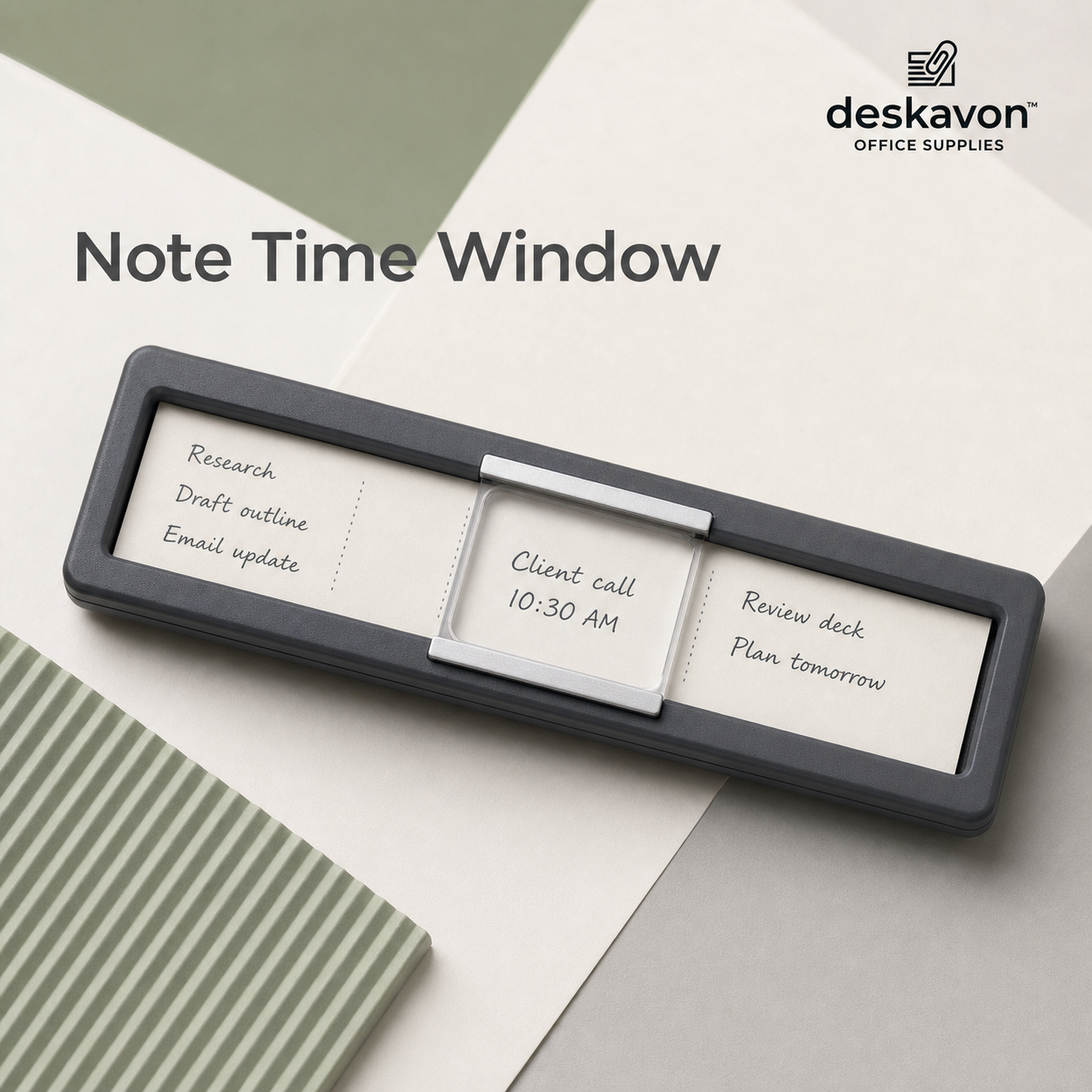
The Deskavon™ Note Time Window turns a simple handwritten list into a focused visual schedule. Inside its elongated frame, notes can be organized into separate sections while a clear sliding window highlights the task, appointment, or reminder that matters right now.
Instead of scanning an entire page every time you look at your desk, the movable lens creates one defined area of attention. It is a calm, tactile productivity tool for people who prefer physical notes over constant digital notifications.
Product Features:
⏰ Sliding focus window highlights one selected task or time.
📝 Multiple writing zones keep related reminders in one compact location.
🔍 Clear cover protects the active note while keeping it easy to read.
↔️ Smooth horizontal movement allows priorities to change throughout the day.
🖥️ Low-profile frame fits beneath monitors, beside keyboards, or near phones.
Product Functions:
Use the side sections for supporting tasks and move the center window to the current priority. It can function as a daily planner strip, call reminder, meeting tracker, study timer, or rotating task prompt.
Recommended Use Scenarios:
Perfect for remote workers, receptionists, students, customer-service teams, project coordinators, ADHD-friendly workspaces, and anyone who benefits from visible task cues.
Productivity Benefits:
By narrowing attention to one item at a time, the device helps reduce visual overload. Completed tasks can be moved out of the focus window, while upcoming items remain visible nearby.
How to Use:
Write short tasks or place small note cards inside the frame. Slide the window over the current item and reposition it as your schedule changes.
A More Intentional Desk Routine:
🌅 Start the day with three priorities
☎️ Highlight the next call or appointment
✅ Move the window after completion
🌙 Reset the strip before leaving your desk
Share